Build a Personal AI Assistant That Replaces 5 SaaS Tools - Save Money, Keep Control
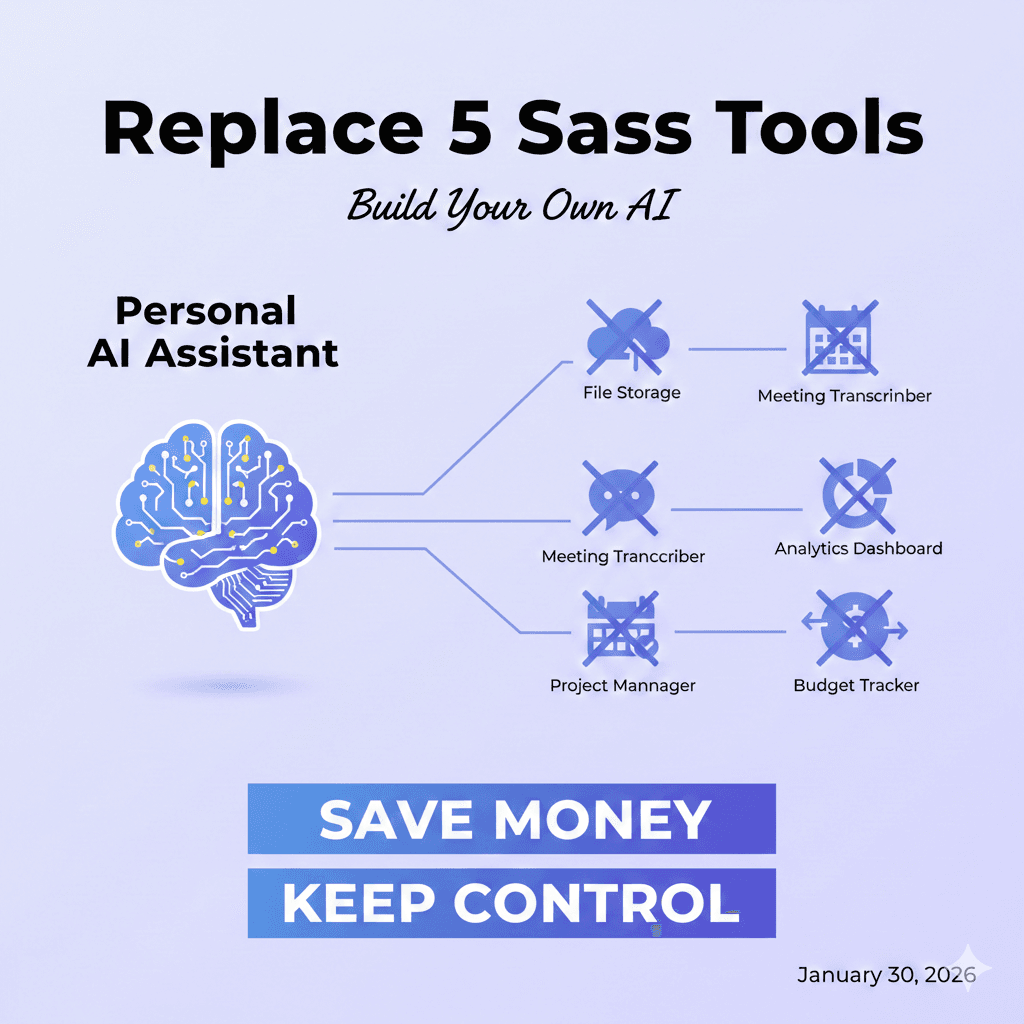
Build a Personal AI Assistant That Replaces 5 SaaS Tools (And Keep All Your Data)
Let's be honest—your SaaS subscriptions are probably out of control. You've got Notion for notes, Grammarly for writing, maybe a project management tool like Jira, a summarization service, and who knows what else. Each one takes a cut of your budget every single month. By the end of the year, you're looking at hundreds or thousands of dollars for tools that mostly do one thing: help you think better and organize faster.
But here's the thing nobody talks about: you can build your own.
Not as a side project. Not as something complicated. I'm talking about a genuine, practical AI assistant that actually replaces these tools—one that lives on your machine, knows your preferences, keeps your data private, and costs you basically nothing to run. The technology to do this exists right now. You don't need to be a machine learning expert. And yes, this is absolutely something you should care about for your career in 2026.
Built AI-Interview Assistant with Cloudvyn Here: build with CloudVyn
View the full story: OpenClaw AI Web Story
What Does "Personal AI Assistant" Actually Mean?
This is where I need to cut through the noise. When people say "personal AI assistant," they usually mean one of two things, and they're not the same.
First, there's the ChatGPT wrapper—basically just connecting someone else's API to a prettier interface. You still send your data to their servers. You still pay their fees (or you hit their rate limits). You're not really building anything.
Then there's the real deal: a system that combines an LLM with your own context. Your documents. Your writing style. Your specific workflows. Your data stays with you. The AI learns what matters to you. You control everything.
Think of it like this—a ChatGPT wrapper is like hiring someone to answer your questions. A personal AI assistant is like training someone who actually knows your business inside and out.
The second one is what we're talking about here. And it's not new technology pretending to be new. It's just... finally accessible to regular people.
Which SaaS Tools Can You Actually Replace?
Not every tool deserves to be replaced—some are genuinely specialized. But a surprising number of them are doing the same basic thing: taking your input, processing it with language intelligence, and giving you something back. That's exactly what a personal AI assistant does.
Notion (for Notes and Summaries)
If you're using Notion just to store notes and ask it to summarize your thoughts, you're paying for a UI more than anything. A local system with a simple database can do the same thing faster. You can search your documents, summarize them, pull connections between ideas—all without syncing to their servers every thirty seconds.
Grammarly (for Rewriting and Tone)
This is pure language model work. Take a sentence, ask it to rewrite for clarity or a specific tone, get the result back. Your personal assistant can do this instantly. And since you control the prompts, you can make it match your voice exactly instead of the Grammarly corporate vibe.
Jira-Lite (for Task Breakdown and Project Management)
Most people don't need Jira's full feature set. They need something simple: paste a goal, get it broken down into tasks, organize those tasks. That's not complicated. An AI assistant with a local database for storing your projects and tasks can handle it completely.
Copywriting Tools, Research Assistants, and First-Draft Generators
All the same story. These are just language model calls wrapped in UI. You can build the UI.
What about specialized tools like video editors or design software? Yeah, skip those. This is about the cognitive work, not the creative production.
The Basic Architecture (It's Simpler Than You Think)
Here's what scares people away: they imagine building something as complex as ChatGPT. You're not. You're building something much simpler and way more useful for your actual life.
The architecture has three parts, and none of them are mysterious.
Part One: The Language Model
You've got options. OpenAI's API is reliable and good. You could use Claude. Or you could run something locally with Ollama (open source, free, runs on your machine). Each has tradeoffs—local is private and free but slower; API-based is faster but costs a few dollars per month.
Part Two: Your Data Store
A simple database. Could be SQLite, could be PostgreSQL, doesn't matter. This stores your notes, your tasks, your documents, your preferences. When you ask your assistant something, it first looks here. It knows context about who you are and what you care about.
Part Three: The Interface
A basic UI so you can actually use the thing. Command line is fine. A simple web page is better. React app is overkill but doable.
That's it. Three pieces. A language model that processes text, a database that knows you, and a way to talk to both of them.
Build It Yourself: Complete Step-by-Step Tutorial
I'm going to walk you through building an actual, working AI assistant. You can start with this right now, tweak it, and make it yours. The entire structure is modular, so you can understand each piece and extend it later.
Project Structure
Before we write code, here's how we're organizing this:
personal-ai-assistant/
├── config.py
├── database.py
├── ai_engine.py
├── tasks.py
├── notes.py
├── main.py
└── requirements.txt
Each file has a specific job. Database handles storage. AI engine talks to the language model. Tasks and notes are specific features. Main ties it all together. This is how real projects look.
Step 1: Set Up Your Environment
Begin by setting up a new project directory with the essential packages listed below. Add these to your requirements.txt:
openai==1.3.0
python-dotenv==1.0.0
Then run this in your terminal:
pip install -r requirements.txtYou'll also need an OpenAI API key. Go to openai.com, sign up, create an API key, and save it somewhere safe.
Step 2: Create Your Configuration File
This file keeps your settings in one place. Create config.py:
import os
from dotenv import load_dotenv

load_dotenv()

# API Configuration
OPENAI_API_KEY = os.getenv("OPENAI_API_KEY", "your-api-key-here")
MODEL = "gpt-4"

# Database Configuration
DB_PATH = "personal_ai.db"

# System Settings
MAX_CONTEXT_NOTES = 5
TEMPERATURE = 0.7
Create a .env file in the same folder and add your key:
OPENAI_API_KEY=sk-your-actual-key-hereNever put API keys in your code directly. That's how leaks happen.
Step 3: Build the Database Module
This is where your data lives. Create database.py:
import sqlite3
from datetime import datetime
from config import DB_PATH

class Database:
    def __init__(self):
        self.db_path = DB_PATH
        self.init_tables()

    def get_connection(self):
        """Create a new database connection"""
        return sqlite3.connect(self.db_path)

    def init_tables(self):
        """Create tables if they don't exist"""
        conn = self.get_connection()
        cursor = conn.cursor()

        # Notes table
        cursor.execute('''CREATE TABLE IF NOT EXISTS notes
                          (id INTEGER PRIMARY KEY,
                           content TEXT NOT NULL,
                           created_date TEXT NOT NULL,
                           updated_date TEXT)''')

        # Tasks table
        cursor.execute('''CREATE TABLE IF NOT EXISTS tasks
                          (id INTEGER PRIMARY KEY,
                           title TEXT NOT NULL,
                           description TEXT,
                           status TEXT DEFAULT "pending",
                           created_date TEXT NOT NULL,
                           due_date TEXT)''')

        # Conversations table (for memory)
        cursor.execute('''CREATE TABLE IF NOT EXISTS conversations
                          (id INTEGER PRIMARY KEY,
                           user_input TEXT NOT NULL,
                           ai_response TEXT NOT NULL,
                           timestamp TEXT NOT NULL)''')

        conn.commit()
        conn.close()

    def save_note(self, content):
        """Save a note to the database"""
        conn = self.get_connection()
        cursor = conn.cursor()

        now = datetime.now().isoformat()
        cursor.execute('''INSERT INTO notes (content, created_date)
                         VALUES (?, ?)''', (content, now))
        conn.commit()
        conn.close()
        return cursor.lastrowid

    def get_recent_notes(self, limit=5):
        """Get recent notes for context"""
        conn = self.get_connection()
        cursor = conn.cursor()

        cursor.execute('''SELECT content FROM notes
                         ORDER BY created_date DESC LIMIT ?''', (limit,))
        notes = cursor.fetchall()
        conn.close()

        return [note[0] for note in notes]

    def save_task(self, title, description=None, due_date=None):
        """Save a task"""
        conn = self.get_connection()
        cursor = conn.cursor()

        now = datetime.now().isoformat()
        cursor.execute('''INSERT INTO tasks (title, description, created_date, due_date)
                         VALUES (?, ?, ?, ?)''',
                      (title, description, now, due_date))
        conn.commit()
        conn.close()

    def get_all_tasks(self):
        """Get all pending tasks"""
        conn = self.get_connection()
        cursor = conn.cursor()

        cursor.execute('''SELECT id, title, description, status
                         FROM tasks WHERE status = "pending"
                         ORDER BY created_date DESC''')
        tasks = cursor.fetchall()
        conn.close()

        return tasks

    def save_conversation(self, user_input, ai_response):
        """Save conversation for future context"""
        conn = self.get_connection()
        cursor = conn.cursor()

        now = datetime.now().isoformat()
        cursor.execute('''INSERT INTO conversations (user_input, ai_response, timestamp)
                         VALUES (?, ?, ?)''',
                      (user_input, ai_response, now))
        conn.commit()
        conn.close()
This module handles all database operations. See how each function does one thing? That's good design. You can test each function separately.
Step 4: Create the AI Engine
This talks to OpenAI. Create ai_engine.py:
from openai import OpenAI
from config import OPENAI_API_KEY, MODEL, TEMPERATURE, MAX_CONTEXT_NOTES
from database import Database

class AIEngine:
    def __init__(self):
        self.client = OpenAI(api_key=OPENAI_API_KEY)
        self.model = MODEL
        self.temperature = TEMPERATURE
        self.db = Database()

    def get_system_prompt(self):
        """Build a system prompt that knows about the user"""
        recent_notes = self.db.get_recent_notes(MAX_CONTEXT_NOTES)

        context = ""
        if recent_notes:
            context = "Here are some recent thoughts and work:\n"
            for note in recent_notes:
                context += f"- {note}\n"

        system_message = f"""You are a helpful personal AI assistant.
You help with writing, organization, and thinking through problems.
You are concise, practical, and respectful.
You match the user's tone and style.

{context}

When asked to rewrite text, improve it while keeping the original meaning.
When asked to break down tasks, be specific and actionable.
When asked to summarize, focus on key points."""

        return system_message

    def process_request(self, user_input):
        """Submit user input to the language model with personalized system context and retrieve the generated output"""
        system_prompt = self.get_system_prompt()

        try:
            response = self.client.chat.completions.create(
                model=self.model,
                messages=[
                    {"role": "system", "content": system_prompt},
                    {"role": "user", "content": user_input}
                ],
                temperature=self.temperature,
                max_tokens=1000
            )

            ai_response = response.choices[0].message.content

            # Save this conversation for future context
            self.db.save_conversation(user_input, ai_response)

            return ai_response

        except Exception as e:
            return f"Error: {str(e)}"

    def rewrite_text(self, text, style="clear"):
        """Rewrite text in a specific style"""
        prompt = f"""Rewrite this text to be more {style}.
Keep the original meaning but improve clarity and flow.

Original text:
{text}

Rewritten text:"""

        return self.process_request(prompt)

    def summarize_text(self, text):
        """Summarize longer text into key points"""
        prompt = f"""Summarize this text in 3-5 key points.
Be concise and capture the main ideas.

Text:
{text}

Key points:"""

        return self.process_request(prompt)

    def break_down_task(self, task):
        """Break a large task into smaller steps"""
        prompt = f"""Break this task into smaller, actionable steps:
{task}

Format as a numbered list. Be specific. Each step should be completable in 30 minutes or less."""

        return self.process_request(prompt)
The AI engine is your interface to OpenAI. Notice how each method (rewrite_text, summarize_text, break_down_task) is a specific use case? That's how you build features easily.
Step 5: Add Note Features
Create notes.py:
from database import Database
from ai_engine import AIEngine

class NoteManager:
    def __init__(self):
        self.db = Database()
        self.ai = AIEngine()

    def create_note(self, content):
        """Save a new note"""
        note_id = self.db.save_note(content)
        print(f"✓ Note saved (ID: {note_id})")
        return note_id

    def summarize_note(self, text):
        """Get AI to summarize your note"""
        summary = self.ai.summarize_text(text)
        self.db.save_note(f"Summary: {summary}")
        return summary

    def improve_writing(self, text):
        """Get AI to improve your writing"""
        improved = self.ai.rewrite_text(text, style="professional")
        return improved

    def list_notes(self):
        """Show recent notes"""
        notes = self.db.get_recent_notes(limit=10)
        return notes
Step 6: Add Task Features
Create tasks.py:
from database import Database
from ai_engine import AIEngine

class TaskManager:
    def __init__(self):
        self.db = Database()
        self.ai = AIEngine()

    def create_task(self, title, description=None):
        """Create a new task"""
        self.db.save_task(title, description)
        print(f"✓ Task created: {title}")

    def break_down_task(self, task_description):
        """Use AI to break down a complex task"""
        breakdown = self.ai.break_down_task(task_description)

        # Save the breakdown as a note
        self.db.save_note(f"Task breakdown:\n{breakdown}")

        return breakdown

    def list_tasks(self):
        """Show all pending tasks"""
        tasks = self.db.get_all_tasks()
        return tasks

    def show_tasks_formatted(self):
        """Display tasks nicely"""
        tasks = self.list_tasks()
        if not tasks:
            print("No pending tasks")
            return

        print("\nYour Tasks:")
        for task in tasks:
            print(f"  [{task[0]}] {task[1]}")
            if task[2]:
                print(f"      → {task[2]}")
Step 7: Create the Main Interface
Create main.py - this is what you actually run:
from notes import NoteManager
from tasks import TaskManager

class PersonalAI:
    def __init__(self):
        self.notes = NoteManager()
        self.tasks = TaskManager()

    def show_menu(self):
        """Display the main menu"""
        print("\n=== Personal AI Assistant ===")
        print("1. Create a note")
        print("2. Summarize text")
        print("3. Improve writing")
        print("4. Break down a task")
        print("5. Create a task")
        print("6. View all tasks")
        print("7. View recent notes")
        print("8. Exit")
        print("============================\n")

    def handle_create_note(self):
        """Handle note creation"""
        content = input("What do you want to save?\n> ").strip()
        if content:
            self.notes.create_note(content)

    def handle_summarize(self):
        """Handle text summarization"""
        text = input("Paste text to summarize:\n> ").strip()
        if text:
            print("\nSummarizing...")
            summary = self.notes.summarize_note(text)
            print(f"\nSummary:\n{summary}")

    def handle_improve_writing(self):
        """Handle writing improvement"""
        text = input("Paste text to improve:\n> ").strip()
        if text:
            print("\nImproving...")
            improved = self.notes.improve_writing(text)
            print(f"\nImproved version:\n{improved}")

    def handle_break_down_task(self):
        """Handle task breakdown"""
        task = input("What task do you want to break down?\n> ").strip()
        if task:
            print("\nBreaking down...")
            breakdown = self.tasks.break_down_task(task)
            print(f"\nTask breakdown:\n{breakdown}")

    def handle_create_task(self):
        """Handle task creation"""
        title = input("Task title:\n> ").strip()
        description = input("Description (optional):\n> ").strip()
        if title:
            self.tasks.create_task(title, description if description else None)

    def run(self):
        """Main loop"""
        print("Welcome to your Personal AI Assistant")
        print("Type 8 to quit at any time\n")

        while True:
            self.show_menu()
            choice = input("Select an option (1-8): ").strip()

            if choice == "1":
                self.handle_create_note()
            elif choice == "2":
                self.handle_summarize()
            elif choice == "3":
                self.handle_improve_writing()
            elif choice == "4":
                self.handle_break_down_task()
            elif choice == "5":
                self.handle_create_task()
            elif choice == "6":
                self.tasks.show_tasks_formatted()
            elif choice == "7":
                notes = self.notes.list_notes()
                if notes:
                    print("\nRecent notes:")
                    for i, note in enumerate(notes[:5], 1):
                        print(f"{i}. {note[:100]}...")
            elif choice == "8":
                print("Goodbye!")
                break
            else:
                print("Invalid choice. Please try again.")

if __name__ == "__main__":
    ai = PersonalAI()
    ai.run()
Step 8: How to Use It
Now you have a working AI assistant. Here's how to run it:
python main.pyYou'll see a menu. Pick what you want to do. Try these first:
Create a note: Save something you're thinking about. The system remembers it.
Improve writing: Paste a paragraph. The AI rewrites it to be clearer.
Break down task: Paste a big goal like "Learn Python." It gives you step-by-step breakdown.
The system saves everything. Next time you ask for help, it looks at your recent notes and uses that as context. That's what makes it "personal."
How to Extend It
Want to add features? It's designed to be easy. Want to save writing improvements as notes? Add a line to the improve_writing method. Want to email yourself your tasks? Add that to TaskManager. The modular structure means you're not touching the core code.
This is the kind of project you can show in interviews. It's small but complete. It solves a real problem. And anyone can understand what each part does.
The Money Math (And Why It Matters to Your Wallet)
Let's talk real numbers. The average person using these tools is spending:
- Notion: $10 per month
- Grammarly premium: $15 per month
- Jira for personal use: free to $20 per month
- ChatGPT Plus: $20 per month
- Random other tools: $20-50 per month
That's roughly $65 to $115 per month. Over a year, you're looking at $800 to $1,400 for tools that are basically doing commodity cognitive work.
Building Your Own Costs
You're paying maybe $10 per month for API calls if you're heavy usage. Zero if you go local. The time investment is real—maybe 20 to 30 hours to build something solid. But if you're someone who uses these tools regularly, you break even in about two months. After that, it's pure savings.
More importantly, you own the thing. You know what it's doing. Your data doesn't get sold to advertisers or used to train the next version of their product.
This Isn't About Saving Money—It's About Future-Proofing Your Skills
Here's the part that actually matters for your career: companies are not hiring people who just use tools. They're hiring people who understand how tools work and can build or modify them.
In 2026, knowing how to write prompts is basically like knowing how to use Google in 2010—it's table stakes, not a skill. What's actually valuable? Understanding how to combine data with language models. How to build systems that learn from context. How to integrate APIs. How to think about architecture for personal productivity systems.
Building your own AI assistant is like that internship that actually matters. It looks good on a resume because it shows you can go from "I have a problem" to "I built a solution." Hiring managers notice that.
Plus, if you're a student or entry-level professional, this is something you can put in a portfolio. "I built a personal AI system that replaces five commercial tools" is way more interesting than "I use ChatGPT for my homework."
What Companies Are Actually Hiring For Right Now
Let me be direct: companies are not looking for people who can copy-paste prompts. They're looking for people who understand:
Data Structure and Organization
How to structure data so that AI systems can use it effectively. How to make information searchable and retrievable. How to design databases that support intelligent queries.
Problem Evaluation
Which problems are worth automating versus which ones need human judgment. When to use AI and when to use traditional programming. How to measure whether a solution actually works.
System Integration
How to handle the reality that language models hallucinate and you need safeguards. How to integrate multiple systems together. How to build for real-world constraints like latency and cost.
Offline and Restricted Environments
How to build systems that work without internet. How to deploy models in environments where you can't call external APIs. How to respect security and privacy constraints.
Every single one of those skills comes from building something real, not from reading about it.
What About Privacy and Control?
This is the thing that actually changes the conversation. When you use Grammarly, they see every word you write. When you use Notion, they have access to everything you're thinking about. When you use ChatGPT for work stuff, you're potentially violating your company's data policy.
With your own system, none of that happens. Your data lives on your machine or your own server. The only thing that goes to an external API is the specific request you're making right now. You're not building a profile. You're not being tracked. You're not feeding training data to anyone else's system.
This matters more than people realize. It's not paranoia—it's just basic data hygiene. You have the right to know where your information is going and who has access to it.
Where Do You Actually Start?
If you want to build this, here's the real path forward:
Step One: Pick Your Base
Are you comfortable with Python? Start there. JavaScript? Use Node. Want to keep it simple? Shell scripts can work surprisingly well. Don't overthink this part—pick what you know best.
Step Two: Pick Your Language Model
OpenAI API is the most reliable right now, but Ollama is interesting if you want everything local. Start with one, you can switch later. The cost difference is real but not huge, so pick based on your privacy and control preferences.
Step Three: Build for One Use Case First
Don't try to replace everything at once. Start with "help me organize my notes and summarize them." Get that working. Then add rewriting. Then add task breakdown. Each piece is simpler when you build it separately.
Step Four: Iterate Based on What You Actually Use
You'll discover pretty quickly what's missing from commercial tools once you have something that works your way. Maybe you need better search. Maybe you want it to learn your style. Maybe you need it to handle files. Build what you actually need, not what you think you might need.
The Honest Reality
Building this is not complicated, but it does require you to do the work. You can't just buy a solution and plug it in. That's the whole point—you're trading money for time and attention. The outcome is something that actually fits your life instead of forcing you to fit into a tool's constraints.
Is it worth it? For most people using these tools regularly, yeah. You get control, you get privacy, you get to keep the money, and you build real skills in the process.
The days of treating AI as something you just consume from companies are ending. The next phase is people building their own systems that work exactly the way they think. If you're starting that journey now, you're ahead of most people.
Final Thought
In a year or two, when everyone's asking "how do I stay relevant with AI," the answer won't be "use more tools from companies." It'll be "can you actually build things with it?" This is your head start.
Start small. Pick one problem. Build something that works. Learn from it. The best time to start was probably last year. The second-best time is right now.
Explore Clouvyn for more information on building AI tools: Cloudvyn